YITH WooCommerce Request a Quote Premium 4.43.0
$ 3.59
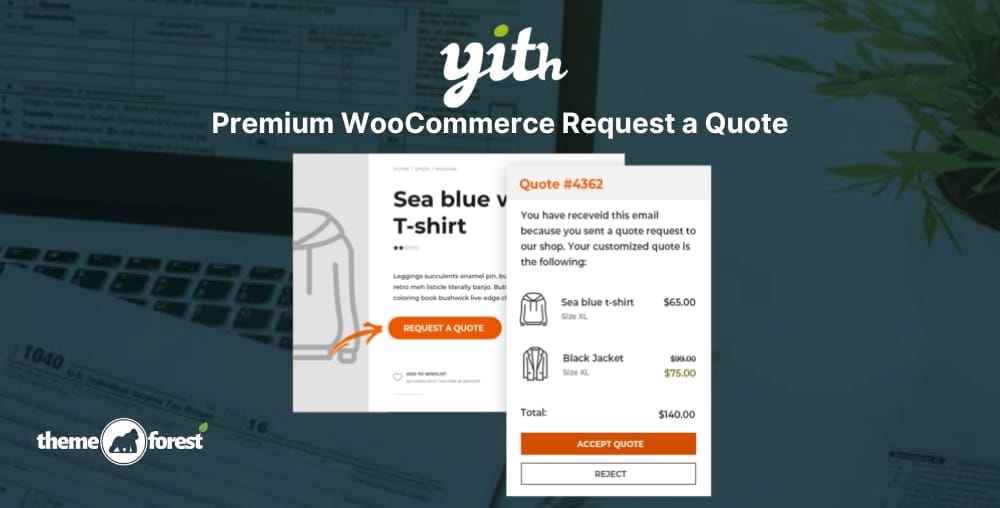
YITH WooCommerece Request a Quote Latest VersionThis is a GPL-distributed version. No official support. Clean, secure, and legally redistributed under the GPL license.NOTE First, you need to install the yith activator then install the YITH WooCommerece Request a Quote PremiumYith WooCommerce Request a Quote helps to hide the price and/or add to cart button and lets your customers request a custom quote for every product.Sell products and services without a fixed price to your catalog and give customers the option to request custom quotes;Hide price and Add to cart button for every product to push customers to contact you to receive a tailored offer for their needs;Hide prices from your competitors to build a competitive pricing strategy;Leverage the scarcity principle by sending temporary quotes and notifying customers when the offer is about to expire to encourage them to purchase immediately;Easily manage every step of the quote process. When a customer accepts the quote, he will be redirected to the checkout page to pay and the quote will be converted to an order;Create quotes manually for customers that reach you by phone or physically in your shop/office.YITH WooCommerece Request a Quote GPL Features:Insert the request form on any page of your siteSupport to variable products: you can add specific product variations to the quote listHide the “Add to cart” button on all the products on your siteReceive an email for each request sent by the userOverride the email template created by the pluginSelect one or more products and send the quote request through a dedicated form available on the siteAdd the product to the quote request directly from the product detail pageInsert the “Add to quote” button both on the product detail page and on all the other archive pages where it appearsShow the “Add to quote” button only on specific products of the shopHide the “Add to quote” button only on some products of the shopShow the “Add to quote” button only to registered users, to users with a specific WordPress role, or to all usersHide the price on all the products on your siteGive users the possibility to request a quote also or only for “out of stock” productsCustomize the style and the colors of the “Add to quote” buttonChoose the information to show for each product on the quote page and email select the form used to send the quote request, choosing fromEnable or force user registration through the quote request formDeny the possibility to send quote requests to unlogged usersShow or hide the “Accept” and “Reject” buttons in the quote email, in the PDF document, and on the “My Account” pageSend an automatic email with the quote proposalReceive an automatic email when the user accepts or rejects the proposalSend an email to remind the customer that a quote is about to expireActivate the automatic creation of the PDF document with the quote on the “My Account” pageAttach the PDF quote to the email sent to the user 0/5 (0 Reviews)